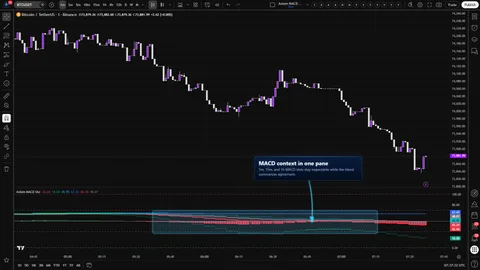
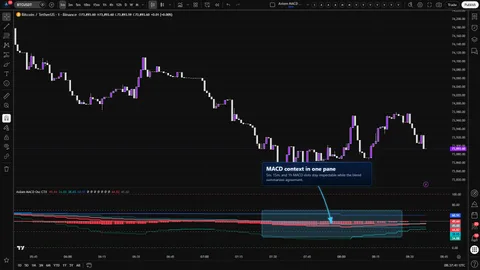
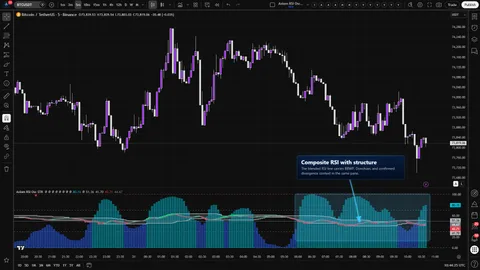
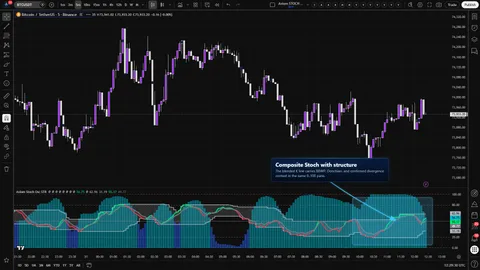
Six pieces of this build are worth naming so the reading is honest about what it is.
ATR-normalized MACD/signal/histogram through a clamped sigmoid. Raw MACD values live on different scales across timeframes and across symbols, and a three-series read (MACD line, signal line, histogram) compounds the problem. Each slot expresses all three series in ATR units at the configured ATR length, scales by ATR Sensitivity, clamps, and passes the result through a sigmoid that lands inside 0..100. The transform preserves direction and keeps the three series on the same frame, at the cost of the native MACD price-difference scale and two operator-tunable inputs. To verify, raise ATR Sensitivity and watch all three series pile up more aggressively at the edges; lower ATR Length and watch the read become touchier.
Per-slot MACD pair and signal line with independent MA families. Classic MACD bakes in EMA for both the pair and the signal. Here, each slot chooses the MA family for the fast/slow pair and — separately — the MA family for the signal line. The slot's MACD line is the fast MA minus the slow MA; the signal line is the chosen signal MA family applied to that difference; the histogram is the MACD-minus-signal series. When the library returns na for either MA at the configured length, an EMA fallback of the same length is used so the read does not drop out. Choosing the same family for both the pair and the signal will not fail, but the pair and the signal then share their dynamics.
Safe-MTF pattern with per-slot On Bar Close? and the Fast-less-than-Slow guard. Two rules have to hold before a slot makes sense. The slot timeframe must be at or above the chart timeframe, and Fast Length must be less than Slow Length. Both are enforced in code with named runtime errors that identify the offending slot. On top of that, On Bar Close? is exposed per slot rather than once globally. ON returns the previous higher-timeframe bar's values from inside the security expression — stable on confirmed history, slower on the live bar. OFF returns the live higher-timeframe values and can reshape until that bar closes. ON is a tradeoff, not a guarantee that every dimension of repaint is gone. Alerts are confirmed-bar gated regardless.
Weighted composite with optional Blended Smoothing. The composite MACD line, signal line, and histogram are each a weighted average of enabled slots against the total non-zero weight, clamped to 0..100. Blended Smoothing optionally re-smooths all three composite series with a chosen MA family and length, then re-clamps each to 0..100. Change the weights, change the composite; the smoothing pass adds lag on purpose and adds it to all three series at once. To verify, set slot 01 to weight 100 and the other slots to 0 and watch the composite track slot 01.
BBWP on the composite MACD line. The percentile rank is computed from Bollinger Band width measured on the composite itself, not on chart price, and the plot title is Blended BBWP so the data window makes the source unambiguous. Percentile ranks only become stable once the lookback is fully populated.
Pivot-confirmed divergence. Divergence uses ta.pivotlow and ta.pivothigh with matched left-and-right strength, compared against the composite MACD line at the same pivot offset, under the same confirmed-bar gate the alerts use. A marker cannot print before the pivot has confirmed on both sides. Plot On Pivot? ON back-plots the already-confirmed marker onto the original pivot bar via a negative plot offset; it is cosmetic placement, not a forward-looking signal.
What not to assume from any of this: that a bounded 0..100 reading is a probability, that the composite is smarter than its slots, that any structure layer is a standalone trade system, or that the histogram is an independent timing series. The math makes five slots visually and structurally comparable; what the reading means is still the operator's call.